
Your spells.
Your language.
Read spell names, ranks and tooltips in your client’s language, with ground indicators for raid encounters.
Compare spell tooltipsWORLD OF WARCRAFT · 3.3.5a
Return to Northrend with widescreen loading art, your spells in your language, and optional HD maps.
Choose your spell effects and install the upgrade with Lau Setup. Existing files that Setup replaces or moves are preserved automatically. Then get back to Azeroth.
Free community upgrade · Windows & Linux/Wine · Nine client languages
Built on Patch-Y by Andre and the community, and the HD client by Loriendal & Trimitor.
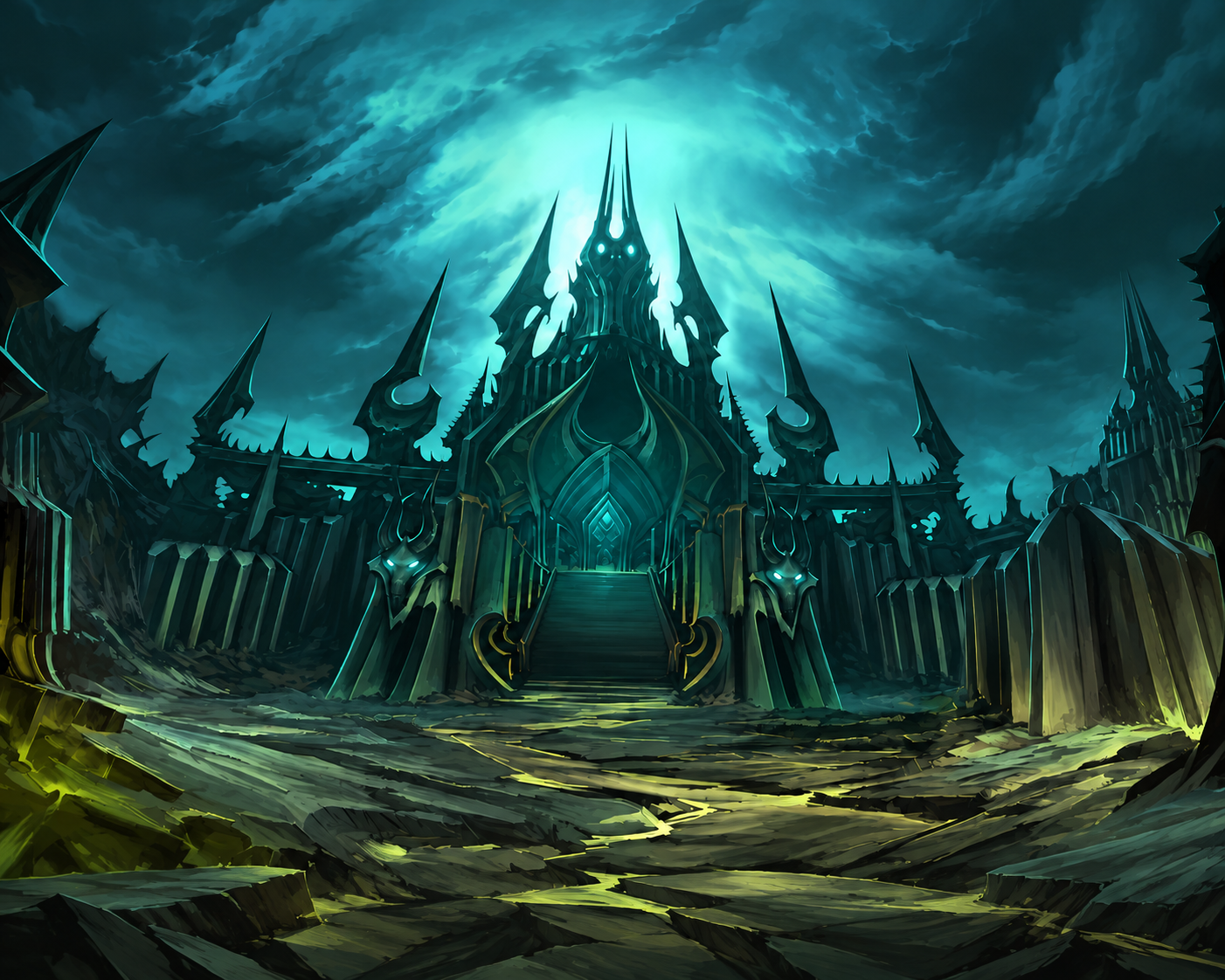
FROM DALARAN TO THE FROZEN THRONE
Read your spellbook in your client’s language and keep your chosen raid effects. Add HD maps when you want them.
Read spell names, ranks and tooltips in your client’s language, with ground indicators for raid encounters.
Compare spell tooltipsStandard Consecration joins Coldflame, Swarming Shadows, Meteor Strike trails and selected Trial of the Crusader effects in every 3.1.0 edition.
Choose your visuals ↗Add HD world maps, sharper minimaps and Trimitor’s dungeon and raid maps, with a beta cave expansion. Regional labels appear where source artwork exists.
Explore the mapsOPEN YOUR SPELLBOOK
Choose a language to compare spell and buff tooltips before and after the patch.
These comparisons came from the earlier manual-package tests: nine languages across six setups on a Docker/Wine test realm. They cover sampled tooltips, loading screens and map navigation.
ON THE ROAD TO ICECROWN
The optional Compatible WoW.exe + loading screens package adds 77 newly reviewed HD 16:9 loading backgrounds. Eight original backgrounds remain unchanged and can retain side bars.
Gallery: earlier loading-screen captures, with four enlarged illustrative previews. These are not screenshots of the new 3.1.0 pack. Select an image to open the original earlier capture. Current installer details ↗
Neil confirmed representative screens from the pack in game on his 16:9 English client; this was not an individual check of every background or locale. Their 1672×940 or 1672×941 source artwork retains the original subjects and framing; it is not native 4K.
Black Temple, Eastern Kingdoms, Kalimdor, Outland, PvP Battleground, generic Raid, Ruined City and Sunwell retain their original artwork and can keep side bars. Seven of the nine localized game locales use the English artwork; Simplified and Traditional Chinese use their localized sets. The enGB, ptBR and itIT compatibility paths also use English artwork.
AI-assisted restoration and outpainting was used for the new 16:9 artwork. The optional compatible executable and loading-screen package installs the matching routes together.
TAKE THE LONG WAY THROUGH DALARAN
The optional map upgrade combines HD world maps and sharper minimaps with Trimitor WDM 2.4.5 dungeon and raid maps, plus beta cave maps. Pick your language below to preview the world-map artwork.
Earlier map comparison captures: HD Models On · New Spells Off · Consecration On. These do not show the new Caverns correction or certify every dungeon and cave map.
Project Reforged contributors created the HD world maps. Lau’s world-map and minimap textures are combined with Trimitor WDM 2.4.5 dungeon and raid maps and its beta cave expansion. Regional labels appear where source artwork exists; some added maps use English titles.
On Your visuals, select Upgrade maps and minimap. It works independently of Compatible WoW.exe + loading screens, so you can keep your executable and loading artwork. Setup installs the map archive, map data in your active-language folder and required WDM/!Astrolabe support files, with backups of files it replaces. Selected root Patch-M and active-language Patch-T files are backed up before replacement. Other localized M/N archives are kept.
Cave maps remain upstream beta. Floor switching and navigation need testing on your client; report the location and selected options if something looks wrong. A recognized existing Lau map package is automatically selected for update or repair, even when changing spell editions. Use Restore previous install to undo the installation that added them.
GEAR UP FOR YOUR NEXT LOGIN
Choose your spell effects, add HD maps if you want them, and let Lau Setup handle the files. Setup automatically preserves existing files before replacing or moving them.
ONE DOWNLOAD FOR YOUR EXISTING WOW CLIENT
One LauSetup.zip for your existing WoW 3.3.5a build 12340 client. Extract the complete ZIP into one LauSetup folder, keep all five bundled files together, then use the launcher for your platform. This is a small online installer, not a full WoW client or HD model pack.
Installer 1.5.1 · one shared ZIP
Game release 3.1.0 Lau · raid visuals and corrected Caverns maps
Windows 10 / 11: requires .NET Framework 4.8. Open LauSetup.exe (Application); Setup offers Microsoft’s official download page if .NET is missing.
Linux/Wine: use the same ZIP with a parseable Wine version, installed Wine Mono, Python 3.9+, an existing supported 64-bit Wine prefix, local Linux storage and the required fonts. Wine 11.0 / Wine Mono 10.4.1 is the tested baseline; other installed versions warn instead of being blocked. Start LauSetup.sh with that prefix, never the EXE. Wine setup guide ↗
Windows follows the four steps below. Linux/Wine follows its guide after the prerequisites are ready. Setup’s interface language is automatic by default and remembers a manual choice; the game upgrade is 3.1.0 Lau. See what changed ↗
Close WoW completely. Download only LauSetup.zip, right-click it, choose Extract All, then open the extracted LauSetup folder. Do not run setup from the ZIP viewer.
Double-click LauSetup.exe (Application). In Game folder, click Browse... and select the folder containing WoW.exe, not Data. Click Next.
New spell visuals (HD clients only) and Compatible WoW.exe + loading screens start off each time you open Setup. Reselect new spells to keep that spell pack; select the executable/loading option to install or update its files. Maps start off on a fresh install; a recognized Lau map package is automatically included for update or repair. Lau’s standard Consecration is included in every edition. Click Next.
Check your choices and download size on Review. Use the button shown: Install upgrade, Update or repair, or Repair installation. Wait for Finished, then select Finish. If everything selected is already Current, choose Finish directly. Keep LauSetupBackups. In WoW, /pyversion should show 3.1.0 Lau.
Need help? If setup cannot find your game, go back to step 2 and choose the folder that contains WoW.exe. To undo a completed install, reopen setup, choose that same folder and select Restore previous install.Read the Windows guide ↗
PREFER TO COPY THE PATCHES YOURSELF?
Choose one ZIP for your existing WoW 3.3.5a build 12340 client. These contain the same released Patch-Y game files for manual installation. Lau Setup remains the recommended option for automatic checks, backups and restore.
Requires your existing compatible HD model pack. Includes patch-y.mpq, patch-s.mpq, the required patch-LOCALE-S.MPQ companion and README.
Requires your existing compatible HD model pack. Includes patch-y.mpq and README; keeps original spell visuals with the shared Patch-Y raid changes.
For clients using original models. Includes patch-y.mpq and README, with original spell visuals and the shared Patch-Y raid changes.
Close WoW and back up the files you replace. Copy Y to both Data/patch-y.mpq and Data/<locale>/patch-<locale>-Y.MPQ. For new spells, also copy S to Data/patch-s.mpq and rename the included locale companion for your matching client folder. Follow the guide before copying or switching editions.
Supports 12 existing client locale folders, with spell text in nine localized languages; enGB, ptBR and itIT use English text. These ZIPs contain no WoW.exe, HD model pack, maps, loading screens or addons.
BEFORE YOUR NEXT LOGIN
Checked against the published Lau Setup 1.5.1 installer and unchanged game 3.1.0 on October 26, 2026. Current install steps ↑ · Files and test evidence ↓
Yes, with an existing WoW 3.3.5a build 12340 client. Setup looks for the expected root and active-language Patch-F model files: both present means HD; both absent means original models. If only one is present, setup stops because the model pack is incomplete.
This checks filenames, not every model inside them. Renamed or custom model packs may not be identified correctly. New spell visuals is available only when HD is detected; setup does not supply the HD model base.
Close WoW, finish changing the matching model pack, then reopen setup and select the client again. Review the detected model setup and reinstall the matching edition before playing. An HD Patch-Y does not automatically become the Non-HD edition when you disable Patch-F.
Do not use a mismatched edition. Restore the compatible model pack or install the matching Patch-Y edition; setup downloads only the required files that it cannot reuse.
Lau’s raid-tested Consecration is standard in every 3.1.0 edition. The old Consecration On and Off catalog choices both update to the standard visual, so Setup no longer offers a separate toggle.
For a fresh install, no: Upgrade maps and minimap starts off. It adds HD world/minimap textures, Trimitor dungeon and raid maps, beta cave maps and required WDM support files. It works independently of the optional executable/loading-screen choice.
If Setup recognizes a current or previous Lau map package, it selects and locks that choice for update or repair. This also applies when changing spell editions; the checkbox is not an uninstall switch. Use Restore previous install to undo the installation that added it; several backups may require several restores. Cave navigation and floor switching remain beta.
The current release has one installer download: LauSetup.zip for Windows and Linux/Wine. Extract all five bundled files into one folder. Game files download separately and are much larger. Select your client and options to see the planned download; the language, map choice and files already present affect the amount.
Verified cached downloads and matching files can be reused. Allow room for downloads, staged files and backups as well as the installed upgrade. You do not need a GitHub account or the full shared-data release.
No. Setup supplies localized upgrade files, not a language pack or fonts. It reads SET locale in WTF/Config.wtf; if that setting is absent, it can use a single installed language. Ambiguous or missing language files stop setup.
To switch game languages, install the matching client language files and fonts first, select that language in the client configuration, then close WoW and run setup again. Lau supplies localized game content for nine locales: enUS, deDE, frFR, esES, esMX, koKR, ruRU, zhCN and zhTW. Setup also accepts enGB, ptBR and itIT clients, preserving their locale and using English visual assets; it does not add Portuguese or Italian game-text translations.
The Setup interface has ten display languages: English, German, French, Spanish (Spain), Spanish (Mexico), Korean, Russian, Simplified Chinese, Traditional Chinese and Brazilian Portuguese. Automatic follows the Windows display language or Linux host preferences; a manual choice is saved until you select Automatic again.
No. Setup places the selected files. The optional Compatible WoW.exe + loading screens choice installs the executable and matching Q loading artwork together; leaving it off keeps both. New spell visuals use a root S asset archive and a different active-language S archive.
Turning new spells off preserves existing S files as disabled files. Matching disabled copies can be reused when re-enabling. Unrelated and renamed duplicate patches stay in place; manage renamed duplicates yourself.
New spell visuals starts off when you reopen Setup or select a client again. Leaving it off selects the original-spell edition and disables the managed Patch-S pair, even if you used new spells before.
Close WoW, reopen Setup, select your HD client and enable New spell visuals again. Review and install the change. The added 3.1.0 raid effects and standard Consecration are included in every edition; they do not require this optional spell pack.
The new artwork is optional. Enable Compatible WoW.exe + loading screens on Your visuals to install or update it. This choice starts off each time you open Setup; leaving it off keeps your existing executable and Patch-Q files.
/pyversion reports Patch-Y, so seeing 3.1.0 Lau alone does not confirm that the loading or map package was updated. Eight loading backgrounds intentionally keep their original art and can still have side bars. The new pack uses a compatible executable and matching loading archives together.
Only when you enable Compatible WoW.exe + loading screens. This combined option starts off. Off keeps your executable and loading artwork unchanged; on installs both with backups. Maps can be selected separately.
The supplied build 12340 executable provides Large Address Aware support, widescreen loading and additional patch names. Custom executable changes are not merged. Billy’s separate mail-timeout alternative is not included.
Use the same LauSetup.zip after Wine is already set up: a parseable Wine version, installed Wine Mono, Python 3.9+, an existing 64-bit Wine prefix, local Linux storage and the required fonts. Wine 11.0 / Wine Mono 10.4.1 is the tested baseline; other installed versions warn instead of being blocked. Extract the ZIP, keep its five bundled files together and follow the beginner Wine setup guide.
Start LauSetup.sh with that existing Wine prefix as your normal user. Never open LauSetup.exe directly under Wine. Setup does not create or upgrade Wine, Mono, Python or fonts. Linked paths, network shares and Windows-mounted drives are unsupported; Lutris, Proton and macOS integrations are outside this release.
No. Windows 10/11 needs .NET Framework 4.8; setup offers Microsoft’s official download page if it is missing. Linux uses Wine Mono, not the Windows .NET installer. Wine 11.0 / Wine Mono 10.4.1 remains the tested baseline.
Install Wine, Mono, Python and the required fonts before launching on Linux. Linux controls need Wine-visible Liberation Sans or DejaVu Sans and Wine’s complete font package; Korean and Chinese interface text also needs Wine-visible Noto Sans CJK fonts. Lau Setup selects installed fonts when available, but does not install fonts or any runtime. See the Wine prerequisites.
SavedVariables, fonts, realm settings, personal UI and unrelated patches stay in place. The optional map upgrade installs required WDM/!Astrolabe support files; selected existing support files are backed up before replacement. Unlisted addons remain untouched.
Custom edits inside files setup replaces are not merged. Keep LauSetupBackups and use Setup 1.4.0 or newer to restore map-support addon transactions.
Files Setup replaces are backed up automatically in LauSetupBackups. Unrelated patches and renamed duplicates stay in place. For example, a copy renamed from patch-y.mpq to patch-lau.mpq is your responsibility; Setup no longer scans or removes it.
Empty Data/patch-v.mpq is backed up automatically. A nonempty Patch-V stays with a compatibility warning. Restore previous install returns the files Setup backed up.
Current Setup 1.5.1 leaves unrelated MPQs alone instead of scanning them for conflicts; the old 1.1.8 scanner instructions in release history no longer apply. A nonempty Patch-V stays with a warning even if its contents cannot be identified. Setup still verifies selected downloads and installed files.
If setup stops, keep the files and backups and report the exact message, filename and screenshot.
A component marked Current matches its expected size and SHA-256 hash. If the entire selected plan is current, Finish closes Setup without changing game files. Other components may still need installation, update, repair or Patch-S disabling. Review each selected option; a current Patch-Y does not mean an unselected loading package was updated.
Setup 1.5.1 installs unchanged game release 3.1.0 Lau. Download and extract the latest ZIP before updating: an older installer retains its embedded catalog.
For an ordinary Windows or Linux/Wine install, download only LauSetup.zip. It is the current release’s one installer ZIP and contains all five bundled files.
The other 1.5.1 assets are START-HERE.txt, SHA256SUMS.txt, VALIDATION.json and LauSetup-source-1.5.1.zip. The source ZIP is for developers. The separate game 3.1.0 payload release contains the unchanged files Setup downloads automatically and the three manual Patch-Y ZIPs. For manual installation, choose one matching ZIP and follow its guide. Keep manual patches and source-package files out of your extracted installer folder.
Keep LauSetupBackups, reopen setup, choose the same folder and retry. Verified downloads are reused and partial downloads can resume. Setup verifies the required files before changing the client.
If setup reports an interrupted installation instead, use its recovery option first. A stopped download and a partially committed installation need different recovery steps.
Make sure WoW is closed, then repeat the four Windows steps above. Download only LauSetup.zip, use Extract All, and open the extracted folder before starting LauSetup.exe.
If Setup says Client could not be prepared, read the reason below it and use Choose another folder when offered. Select the folder containing WoW.exe, not Data or WTF. Linked folders and unsupported client builds can be rejected. Keep your client and backups; use Copy diagnostics and include that redacted report with the exact message when asking for help. That heading alone does not identify the cause.
Close WoW, reopen setup through the appropriate Windows or Wine launcher, select the same client and click Restore previous install. It restores the most recent installation; repeat as needed to work back through older installations. Deleting Patch-Y alone does not undo changes to Q, S, M, active-language T, map-support addons or WoW.exe.
Keep LauSetupBackups inside the client folder. If managed files have changed since installation, restore stops instead of overwriting those changes. Keep the backup and resolve the reported mismatch before retrying.
Keep the client and LauSetupBackups together, close WoW and reopen setup for that folder. It can find an interrupted operation even if WoW.exe is temporarily missing. Use Restore previous install when prompted before starting another install.
Do not delete the backup or manually shuffle managed files during recovery. If recovery stops, retain the files and report the exact message.
The installer is unsigned. Download it from the GitHub release and compare it with the supplied SHA-256 checksum. Source and validation reports are linked there too. Keep Windows security enabled.
Use your browser’s Translate Page command, or choose a language at the top to open Google Translate. Website translation does not change the installer interface or your game language.
GitHub also has translated guides. Some can retain an older body while awaiting refresh; check their update notice and use the linked English source as the current installation instruction.
Close WoW, download the latest LauSetup.zip and extract it into a new folder. Open the launcher for your platform and choose the same game folder. On Your visuals, reselect New spell visuals if you use it and Compatible WoW.exe + loading screens if you want the new loading pack. Those two options start off again; only a recognized existing map upgrade is automatically included. Review the plan and use its install, update or repair button. You do not need to restore or remove the previous upgrade first unless Setup asks you to recover an interrupted installation.
Keep LauSetupBackups in your game folder. An older installer keeps its older file catalog, so reopening that copy will not fetch a newer release. After updating, /pyversion should show 3.1.0 Lau.
THE MODDER’S CORNER
Lau Setup chooses the files for your client and installs them in the right places. The source and release records are on GitHub ↗.
| Component | What Lau Setup installs |
|---|---|
| Patch-Y · spell text and effects | Your selected edition, with multilingual spell text and ground indicators. Identical copies go in Data/patch-y.mpq and Data/<locale>/patch-<locale>-Y.MPQ. |
| Patch-Q · loading screens and artwork | Optional loading artwork in root Data and the active-language folder, selected together with the compatible executable. Off keeps existing Q files. Maps are independent. |
| Patch-S · optional new spell visuals | Spell assets in Data/patch-s.mpq and multilingual spell tables in Data/<locale>/patch-<locale>-S.MPQ. These are different archives. Turning new spell visuals off preserves this pair as .mpq.disabled. Re-enabling moves the plain disabled copies into verified transaction backups. |
| Patch-M · optional map upgrade | Shared world/minimap textures in Data/patch-m.mpq, plus WDM dungeon/raid and beta cave content in active-language Patch-T and WDM/!Astrolabe support. The selected root Patch-M and active-language Patch-T are replaced with backups; other localized M/N archives remain in place. |
| WoW.exe · compatible executable | The supplied build 12340 executable provides Large Address Aware support, widescreen loading and a larger archive list. Only the combined executable/loading-screen option replaces it, with a backup. Off keeps your executable. Custom edits are not merged. |
The installer manages these named files in the root and active-language folders, and backs up replaced files automatically. Unrelated patches, unlisted addons and personal settings stay in place. Custom edits inside managed archives are not merged; keep LauSetupBackups to recover the originals. Matching disabled Patch-S files can be reused when new spells are re-enabled.
Setup 1.5.1 leaves unrelated archives and renamed duplicate patches in place. Manage renamed copies yourself. It verifies selected managed files by size and SHA-256; it does not certify every custom patch combination.
Empty Patch-V is backed up automatically. Nonempty Patch-V stays with a warning. See known limitations.
The final Wine checks used isolated Ubuntu 24.04 with Wine 11.0 / Wine Mono 10.4.1. Other installed Wine/Mono versions warn rather than being rejected solely for their version. These tests do not certify every Linux distribution, filesystem or display scale.
The embedded catalog pins GitHub release files by size and SHA-256. Lau Setup checks the downloads before staging them and checks the installed files again after placement.
Originals of replaced files and empty Patch-V, together with recovery records, are saved in LauSetupBackups/transactions/, outside Data but within your client folder. Turning new spells off preserves Patch-S as a disabled file, also tracked for Restore. Allow disk space for downloads, staged files and backups. Downloads can resume, and verified matching files can be reused. An interrupted install or restore remains available for recovery when you reopen the app.
Restore returns the original files and filenames, including selected map-support files and empty Patch-V. Restore undoes the most recent installation; repeat it to step back through several installations. It checks for files changed since installation before restoring the backups. Keep the backup folder if the app reports that recovery needs attention.
The source repository includes the installer, catalog and build instructions. The installer test report records the release checks and explicitly notes that installer checks do not replace in-game encounter validation. The final Setup 1.5.1 release passed 81 Windows installer cases, including the process-detection fallback regression, plus 92 platform-neutral Python checks with one expected Linux-only skip. The unchanged Wine host and game 3.1.0 payload retain the 1.5.0 evidence: four real loading-package install/no-op/repair/restore fixtures, 30 Wine interface renders, two real-payload Wine transactions, 94 Linux repository tests, 53 source-ZIP tests and 17 public game assets verified by SHA-256. Earlier Patch-Y upgrade/restore and map tests are retained as separate evidence, not additional 1.5.1 runs.
Patch-Y 3.1.0 includes standard Consecration, Coldflame, Swarming Shadows, Meteor Strike trails and selected Trial of the Crusader flames and slime effects. Neil confirmed representative loading screens from the pack in game on his 16:9 English client and confirmed the Caverns map correction. The eight retained loading backgrounds can keep side bars; every loading background and locale, Halion positioning marks and every raid-effect combination have not been confirmed in game. This release reports 3.1.0 Lau.
Track individual table changes in the DBC changelog. Test scope and limitations matter alongside a passing result.
The screenshots on this page come from the earlier patch comparison runs. They show sampled tooltips, maps and loading screens. After installing, use /pyversion to check your edition and try your usual spells and routes in game.
RELEASE HISTORY
Entries below describe each release at the time it shipped. For an install or update today, download the latest Lau Setup, close WoW and review the same client and visual choices. The current public installer is 1.5.1; the game release reported by /pyversion remains 3.1.0 Lau. Older installers retain their older catalogs.
This installer-only hotfix fixes a false Windows block when the normal process-module query cannot identify a WoW-named process. Setup retries with limited-information process access, ignores a process confirmed to have exited during enumeration and still stops for an unidentified live process.
Game release 3.1.0 and every game payload are unchanged. The three standalone Patch-Y 3.1.0 downloads and hashes remain the same. Full release details ↗
Patch-Y now carries Lau’s standard Consecration, blue Marrowgar Coldflame, purple Swarming Shadows, Halion Meteor Strike trails, Gormok Fire Bomb, Jaraxxus Legion Flame and Acidmaw/Dreadscale Slime Pool across the HD new-spells, HD original-spells and SD editions. These are DBC-changing visual updates; they do not establish server damage boundaries.
The optional compatible executable/loading package adds 77 newly reviewed HD 16:9 backgrounds. Neil confirmed representative screens from the pack in game on his 16:9 English client; this was not an individual check of every background or locale. Eight original backgrounds remain unchanged and can retain side bars; the generated source art is 1672×940 or 1672×941, not native 4K. The optional map package corrects the competing Caverns WorldMapArea tables, and Neil confirmed the Caverns correction.
Setup gives actionable folder errors, offers another folder selection, can copy a redacted support report, and labels components as Current, Install, Update or repair, Repair, or Keep existing on Review. Windows and isolated Docker/Wine validation passed; Halion positioning marks and every raid-effect combination remain outside the recorded in-game checks. Full release details ↗
These entries describe older builds. For today’s install, use the current steps and FAQ. Renamed-patch scanning, automatic duplicate cleanup and older runtime requirements below are historical.
The Linux launcher now treats Wine 11.0 / Wine Mono 10.4.1 as the tested baseline rather than exact-only version requirements. Older and newer installed runtimes proceed with a terminal warning; an older prefix with installed Mono but no exposed version also warns and proceeds.
Missing Mono or unreadable Wine still stops before setup starts. Docker validation covered Ubuntu 24.04 / Wine 9.0 launcher startup; it does not replace a real WoW install, restore or visual UI run. Installer-only change: no DBC edits and game release remains 3.0.9 Lau. Release details ↗
The installer recognizes enGB, ptBR and itIT clients instead of rejecting them for missing matching-language files. It keeps each selected client locale and uses the verified English visual asset where a Lau visual asset is needed.
This is installer-only compatibility: no Config.wtf edit, archive rename, language-pack installation or Portuguese/Italian game-text translation. Game release remains 3.0.9 Lau; no DBC edits. Production feedback covers real edge-case client combinations. Release details ↗
Four-step wizard with a clearer dark layout, Browse folder picker, ten interface languages and a review before installation. All extras start off; executable and loading screens share one optional choice.
Optional maps now combine HD world/minimap textures, Trimitor WDM 2.4.5 dungeon and raid maps and its beta cave expansion. Maps work independently, with required support files and verified backups. Unrelated patches stay in place; renamed duplicates are user-managed.
Six compacted Patch-Y editions report 3.0.9, saving 58,774,086 bytes in total. No Patch-Y DBC edits; optional maps add upstream map/area DBC overrides. Cave navigation remains beta. Full release details ↗
Click Install upgrade as usual. Recognized extra upgrade patches are backed up automatically in LauSetupBackups, and setup continues. Restore previous install returns them. No manual moving or renaming is needed. A player confirmed this with an identical Patch-Y renamed to Patch-Lau: Setup backed up Patch-Lau and installed Patch-Y without errors or hard stops. Originals are recoverable through Restore.
Unknown readable patches stay in place. Unreadable archives, protected stock files and changed backups retain their safety checks. Game release remains 3.0.8 Lau. No DBC edits or game-payload changes. Release notes and downloads ↗
Fixes large MPQ archives being rejected by the old table-size cap. Setup now reads tables in small chunks while retaining bounds, cancellation and conflict checks. Thanks to Andre for the report and sample.
The warning now says Possible extra upgrade patch, because a loose Patch-Y download can trigger it even under its original filename. This warning is separate from the large-table bug. Download the new setup ZIP; game release remains 3.0.8 Lau. No DBC edits or game-payload changes. Release notes and downloads ↗
The Setup interface now supports ten display languages. It chooses a starting language automatically, and a manual selection is remembered. The game upgrade still supports the same nine client locales.
Windows and Linux/Wine now download the same LauSetup.zip. Extract all five bundled files into one folder; Windows opens LauSetup.exe and Linux/Wine runs LauSetup.sh from that same folder. Linux still requires Wine 11.0, Wine Mono 10.4.1, Python 3.9+, an existing 64-bit prefix, local Linux storage and the required fonts. No native Linux runtime or bundled runtime is provided.
No DBC edits or game-payload changes. Game release remains 3.0.8 Lau. Release notes and downloads ↗
Setup now checks for possible renamed Patch-Y copies and exact copies of its catalog patches before downloading and again before installing. A conflicting, unreadable or unsupported archive stops the upgrade and identifies the file. Setup does not delete or rename it. Back up and move only a confirmed redundant copy outside Data. For an unreadable or unsupported archive, check the file, permissions or format rather than removing required client archives.
Normal root/locale Q/M/S/Y placements and disabled files are excluded. The supplied executable retains the inspected Billy patch-naming implementation; keep installer-managed filenames unchanged. Scanning uses bounded classic MPQ hash-table reads, with no extraction or additional DLL. Modified or unknown patches can still evade detection.
Windows and Wine each passed 60 regression groups, including conflict detection, interrupted operations and exact rollback. Fresh release files also passed on → off → on and stacked rollback on both platforms. Scan limits are recorded in the release. No DBC edits or game-payload changes. Game release remains 3.0.8 Lau. Hotfix notes and downloads ↗
Re-enabling New spell visuals reuses a disabled Patch-S when its SHA-256 and size match the selected release, avoiding that download. The plain disabled copy moves into the verified transaction backup in LauSetupBackups, so an active/disabled duplicate is not left in Data. Different versions stay recoverable through Restore previous install.
Switching off still uses .mpq.disabled. Applies to root and active-locale Patch-S; existing hash-suffixed archives are left intact. Windows and Wine each passed 50 regression groups, including repeat installs, interrupted switches, all nine locales and exact rollback. Actual release files passed on → off → on and stacked rollback on both platforms. Game release remains 3.0.8 Lau.
Fixes option switching when an older disabled Patch-S exists. The current file always becomes .mpq.disabled. Setup first preserves any older disabled copy under a short hash-suffixed name. Identical copies are reused; both versions are preserved.
Tested on Windows and Wine, including all three flags on followed by New spell visuals off, all nine locales, repeat switches and exact rollback. Download the new installer and retry; the ordinary 1.1.5 collision no longer needs a manual rename. Game release remains 3.0.8 Lau.
Turning off New spell visuals keeps root and active-locale Patch-S files as .mpq.disabled beside their original paths. In 1.1.5, a different existing disabled copy stopped the install instead of being overwritten, and switching on left disabled copies in place. The 1.1.6 and 1.1.7 hotfixes above supersede that collision and duplicate behavior.
Windows and Wine checks cover on/off changes, collisions, repeat installs, interrupted operations and exact rollback. If an older installer already removed Patch-S, use Restore previous install to recover it from the backups before reinstalling. Deleting Patch-Y alone does not undo the complete Lau upgrade.
Game files remain 3.0.8 Lau; all 90° cones, meteor-fire radius and Coldflame are unchanged. Release notes and downloads ↗
These are visual warning buffers; server damage and mechanics are unchanged. Uneven terrain can still clip flat cones.
Windows and Wine checks cover upgrades from 3.0.7, repeat installs, one-byte changes and exact rollback. Warmane tester feedback is not an every-encounter certification.
The tester confirmed v2 after correcting an unupdated patch. Test v3 is not included. These are visual warning buffers; server damage and mechanics are unchanged.
Windows and Wine installer checks cover upgrades, repeat installs, one-byte changes, and exact rollback. Tester feedback is not an every-encounter certification.
Animated color previews — illustrative mockups, not recordings of the game. Compare the new colors with the original white below.
Windows and Wine passed fresh installer tests, including all six previous-release upgrades, repeat installs, one-byte changes in both Y placements and exact rollback. The color update preserves the existing model motion; these previews do not certify in-game visibility in every encounter.
The wider cones provide extra space around the warning edges, informed by Warmane raid footage and spell-hit logs. They are visual buffers, not measurements of the server’s exact damage area. Server damage, targeting and mechanics are unchanged.
Added Linux/Wine support, clearer installer text and the site’s W-and-shield app icon. Game release 3.0.4 was unchanged in that installer update.
Improved installer text contrast.
MADE BY THE WRATH COMMUNITY
Andre and the Patch-Y contributors laid the foundation for this project. Andre reworked Patch-Y into HD, New Spells Off and Non-HD editions. Loriendal and Trimitor built the HD client; Project Reforged contributors shared loading screens and world maps, and Blizzard gave us Azeroth.
I’m Lau. I build on their work with multilingual support, additional visual edits, adapted artwork and maps, and Lau Setup. Thanks to the modders who shared their work and the players who helped test it and find bugs.
LAU / PIZZA WARRIORS · LORDAERON
Fridays at 10 PM Eastern Time
Next raid in your time:
I raid on Warmane’s Lordaeron realm with Pizza Warriors. Catch a stream, watch our pulls, or upload your personal raid logs on Pizza Logs.

Enjoying the patches or streams? You can leave a tip to support my work. The downloads stay free.